
Problem
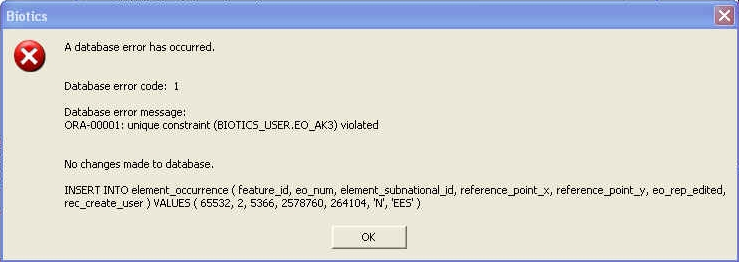
A unique constraint error on BIOTICS_USER.EO_AK3 indicates that the EO_NUM being utilized already exists for that element. However, this is hard to determine in Biotics 6 as access is not permitted to tables in the app schema, including the next_eo_num table. To rectify it you need to update the EO Number (NEXT_NUMBER) within the NEXT_EO_NUM table.
Procedure
This procedure can be used if the next_eo_num table gets out-of-synch within a member program database.
This procedure is not directly called through the application.
Running the procedure should fix the situation when the next_eo_num table gets out-of-synch. It increments the next_eo_num table value for the EST to contain a value that is one higher than the EO value.
Similarly, running this procedure should add rows for any ESTs which do not already have a value in next_eo_num.
Requirement
Only users who are granted the biotics_ext_admin_role are permitted to call this procedure. Read-only user accounts will encounter a ‘permission denied’ error if they attempt to call this procedure. See the Role setting in Step 3 of the Connect to the Biotics 6 database with pgAdmin help topic.
Solution
To run this procedure, log into pgAdmin with a user with the biotics_ext_admin_role and execute the following statement:
call update_next_eo_num();